Signal Over Noise Vol 2, Issue 29 | Jul 24 2026
Don’t have time to read this week’s issue? Why not copy/paste it into your AI agent and ask it for insights?
My AI already gets into my password manager. It has done for months — but on purpose.
Every morning something on my MacBook Air reaches into 1Password, pulls out one scoped token, and gets on with the job — filing a note, checking a balance, handing me a draft to look over. I never paste a key into a script. The AI agent asks for the one thing it needs, when it needs it, and gets back that and nothing else.
So when the headlines turned up this week — AI agents can now use your passwords — it landed with me as a kind of a ‘meh’.
Let’s catch up. On 16 July, 1Password and Anthropic launched 1Password for Claude, which does what the name says: Claude can log in for you without ever seeing the password. When Claude needs to sign in to a website, 1Password shows you which login or one-time code it wants and why, you approve it with your fingerprint, and it puts the password straight onto the page for that one job. Claude never sees it. When the job’s done the access ends, and 1Password checks the page afterwards to make sure nothing was left lying about.
That’s more than most of us manage by hand — we copy the password out of the manager, paste it into a box, and leave it sitting on the clipboard where anything can read it.
But “AI can use your passwords now” makes it sound newer than it is. If you build with these tools, you’ve been able to hand an agent a scoped secret for months already. 1Password has had a command-line tool for years, service accounts you can lock to a single vault, and SDKs that pass an agent a secret by reference without ever printing it. The browser integration is the consumer-friendly version of something builders have had for a while. The New Stack read it the same way: an agent now gets to use a login it’s never allowed to see, and that idea started in the infrastructure world long before it reached ordinary browsers.
The headline skips a second problem. Keeping the password out of the AI model stops the secret leaking. But it does nothing about the session that login opens. A logged-in agent can still click a wrong button, buy the wrong thing, send the wrong message, and it doesn’t have to be you who tells it to. If you hide a bad instruction inside a web page, then the agent can read it as an order. Anthropic’s own red-teamers found its browser agent followed those planted instructions 31.5% of the time before safeguards; safeguards pull that down, but they sit in a different layer from your password manager. This integration landed right after that class of attack hit AI browsers, Claude’s own extension among them. Simon Willison calls the underlying trap the lethal trifecta: an agent that can see your private data, read untrusted text, and send things back out. A logged-in account tends to hand it all three at once. The people who manage access for a living have been saying it for a while — the hard question moved from can it see my password to what it can reach once it’s logged in.
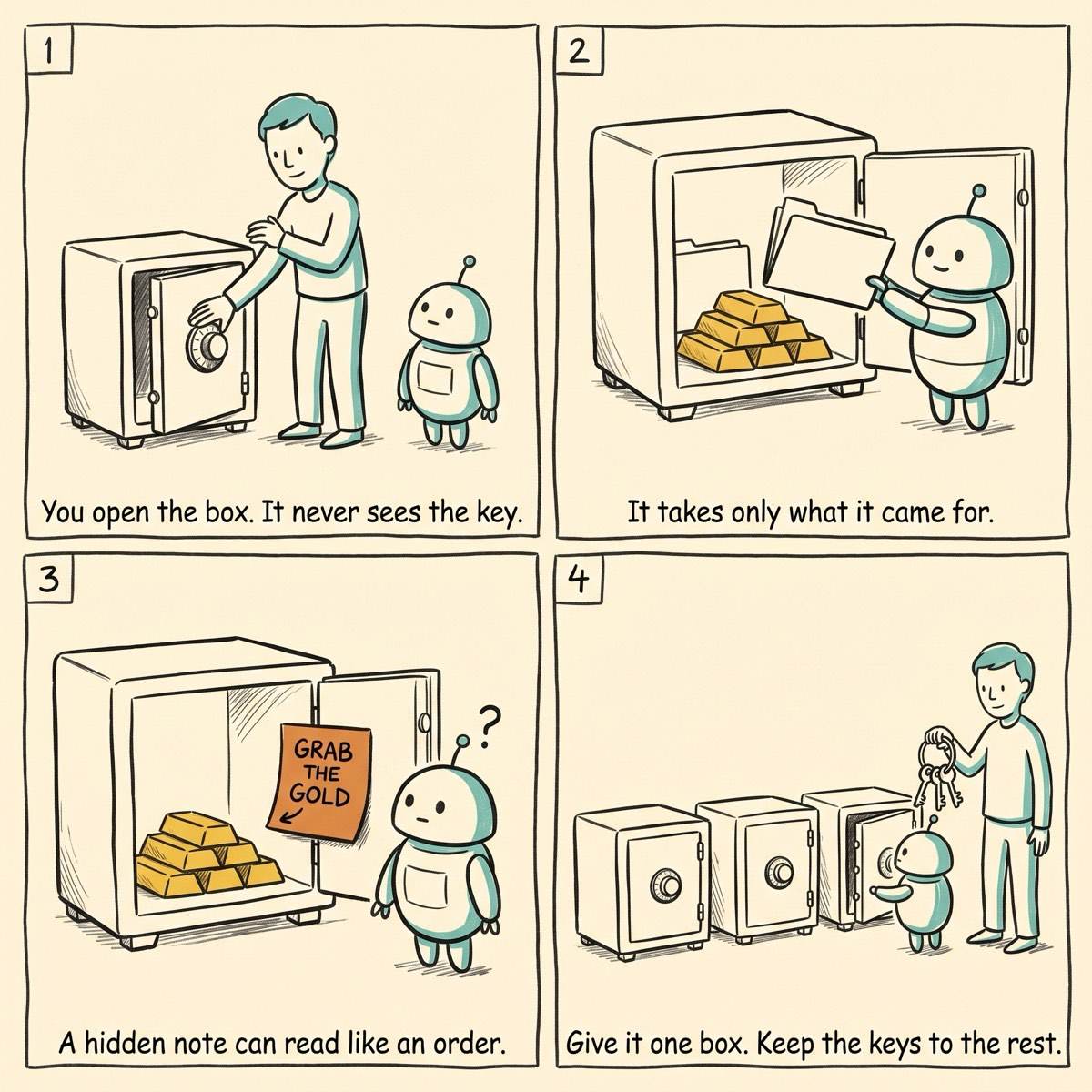
So the old discipline matters more now, not less. The trick, whether you use the browser integration or the command-line tools underneath, is to hand over access to one box, not the entire keyring.
Here’s how mine’s wired
The setup you can copy, minus the mistakes I made. Four rules, and none of them are exotic.
- A vault of its own. The agent tooling points at a single vault I built just for it — never the whole account. If a token ever leaks, the damage stops inside that vault; my bank, my email and the family logins all sit somewhere it can’t reach.
- A service account, read-only where it can be. The thing that reads secrets is what’s called a service account scoped to that one vault. It reads what it needs and has no reach past it.
- Reference the secret, don’t paste it. Secrets go in by path —
op://that-vault/that-item/field — resolved at the moment they’re used. The real value never lives in a script, a config file, or a prompt where it can be copied or logged.
- A human yes before anything irreversible. Reading a note or a balance runs on its own. Moving money, sending an email, anything I can’t take back — that still stops and waits for me.
And this isn’t only me being cautious. The people now writing vetting checklists for agencies pointing agents at client logins land in the same place: scope the access to one task instead of leaving it standing, keep a human yes on each use, and start with read-only work before you let an agent touch anything it can break.
One vault. Scope what the keys can do. Keep a hand on the things you can’t undo. That’s the whole trick, and it works the same whether the agent lives in your terminal or your browser.
→ The full setup — the scoped service account, the config, and the exact op reference pattern — is written up in your member Hub: - The scoped-service-account setup for AI agents → Hub
So — would I let an AI use my passwords? I already do. The bit worth thinking about was never whether to. It was how tightly to scope what it can reach before handing anything over.
— Jim
Hit reply and tell me where you’d draw the line — what would you let an agent log into on its own, and what would you keep a hand on?
Other AI news this week
Two stories worth a glance, minus the hype:
My thanks to Webflow for sponsoring this issue of Signal Over Noise.
You’re reading the Standard edition. The scripts, configs and prompts behind these builds live in the Member edition’s Hub — becoming a Member keeps the newsletter independent and gets you the Hub, ad-free, for about a coffee or two a month.
Become a Paid Member →
Signal Over Noise helps you sort the AI worth your time from the hype. If it was useful, pass it to someone who’d want it too.