I test AI tools, build real workflows, and write down what's actually worth your time - costs and dead-ends left in. Everything's based on what I've shipped, not what I've read about. Past the hype and the doom.
SoN 2.26: The best AI models are getting harder to get
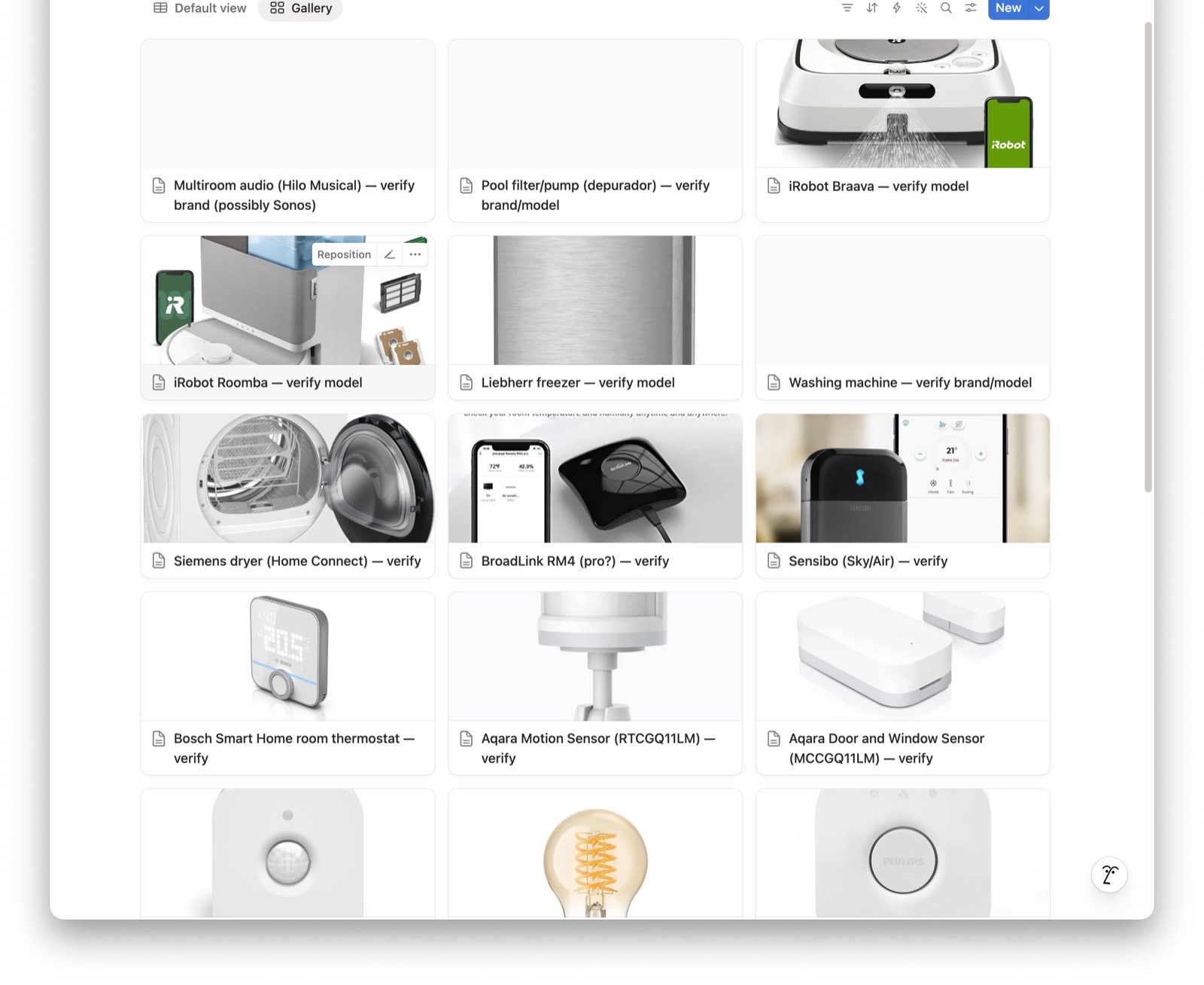
Automating the User ManualsI’m helping a local business get back on its feet after the owner died — rooms of equipment and no one left who knows how any of it works. I’ve mapped the network, walked the site, photographed everything, and built a raw inventory. The question now is how to turn all of that into something the people who have to run the place can actually use. The build: a “master manual” in Notion. Point Claude at the pile of gear and get back a searchable brain where every device has its own page — what it is, its manual, its warranty, and a how-to video, in one place. Capture a box of stuff, get a manual. Here’s what makes it a real manual instead of a spreadsheet — the must-haves I’ve been building it around:
When it’s further along I’ll share the spec, the build log, and the prompts — so if you’re ever handed a pile of gear with no institutional memory (a business, an inherited house, a rental you manage), you’ve got a starting point.
Favourite thing this weekI’ve been watching Kitboga and his scambaiting videos with childish delight for years, and I loved this one — he’s turning the tables on AI-robocall scammers and costing them money in tokens while he’s at it. Worth a watch: Kitboga vs the robocallers (trigger warning: Albuquerque, New Mexico). - Jim Paid Member’s AreaSecond Brain ChroniclesSending a message on anyone’s app, from one commandI work with people who each live on a different app — one only checks Signal, family’s on iMessage, a couple more are on Telegram or WhatsApp. So I built one command that sends to any of them, and wrote two safety habits straight into it: it shows me the message before it sends, and it never hides that an assistant sent it on my behalf. The two ideas inside it are worth more than the tool: make the safe choice the default, and disclose by construction.
Texting my AI a job from my phoneI nearly threw out the whole setup I’d spent months building for a shiny self-hosting agent you can message from anywhere. Then I noticed I didn’t want a new brain — just a way to reach the one I already had. So I kept my setup, borrowed the single idea I envied, and now I text a command from my phone and my always-on computer does the whole job, hands-free — with a safety floor that blocked one of my own commands mid-build.
→ Both full write-ups, with copy-paste prompts, are waiting on your Member Hub:
I also rewrote four older build guides into the same walk-through-with-prompts shape this week — blocking YouTube at the network level, fact-checking an AI against the live web, why plain search beat fancy AI search over twelve thousand laws, and stopping your AI wasting its memory hunting for files. They’re all in the Hub.
A tool I actually use: this newsletter’s member hub and most of my task system run on Notion. If you’re a startup or a solo founder, you can get 3 months of Notion Business free, with unlimited AI and no credit card, through my link. Try Notion free for 3 months → Notion affiliate link — I get a small credit if you start a trial. You’re reading the free edition of Signal Over Noise. Paid members got this week’s build log in the Member Hub — the two builds above, plus four rewritten guides. Paid membership is €7 a month or €69 a year, and you get:
Signal Over Noise helps you sort the AI worth your time from the hype. If it was useful, pass it to someone who’d want it too.
| |


Jim Christian - Signal Over Noise
I test AI tools, build real workflows, and write down what's actually worth your time - costs and dead-ends left in. Everything's based on what I've shipped, not what I've read about. Past the hype and the doom.
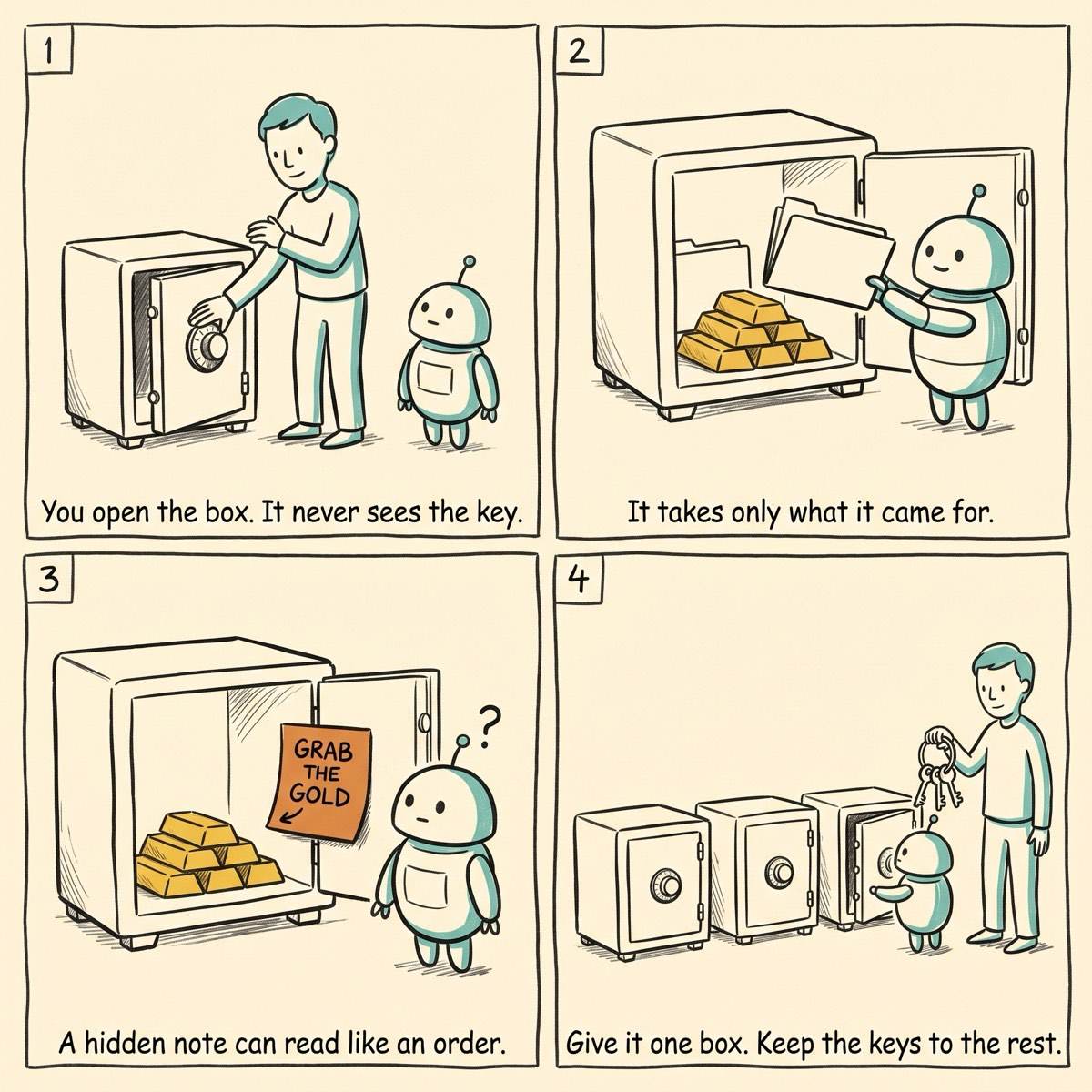
Signal Over Noise Vol 2, Issue 29 | Jul 24 2026 Don’t have time to read this week’s issue? Why not copy/paste it into your AI agent and ask it for insights? My AI already gets into my password manager. It has done for months — but on purpose. Every morning something on my MacBook Air reaches into 1Password, pulls out one scoped token, and gets on with the job — filing a note, checking a balance, handing me a draft to look over. I never paste a key into a script. The AI agent asks for the one...

Field Note: Tell AI What You Want and Who You Are Two things did the rounds this week and caught my eye as they’re closely related: First, a post laying into how everyone prompts their coding agents — “no em-dashes,” “stop saying delve,” “don’t sound like AI” — with one flat retort: you never gave it a writing system. So give it one. Their pick: ASD-STE100 Simplified Technical English. If you’ve not met it, STE is a 'controlled English' that the aerospace industry built in the late 1970s and...
Signal Over Noise Vol 2, Issue 28 | Jul 17 2026 Don’t have time to read this week’s issue? Why not copy/paste it into your AI agent and ask it for insights? When I think about AI and automation, I see an opportunity opening up that goes well beyond the chatbots everyone’s being handed — well beyond prompting, too. One of the most important things I ask my AI setup on every project is this: "That’s good, how can we make it better?" Case in point — my friend Marcus is a working actor, and he...